Moving From a Hosted Prerender Service to Self-Hosted RenderCache
Plenty of JavaScript sites already solved the crawler problem years ago by signing up for a hosted prerender service. A middleware snippet in nginx or the app server spots crawler user agents and forwards those requests to the service with an API token. The service renders the page on its own machines, caches it, and sends it back. It works. Then the site grows.
The bill usually grows with it, because hosted plans are priced on renders or cached pages. A site with tens of thousands of product or listing pages pays for every one of them, refreshed on the plan’s schedule. There’s a second cost that doesn’t show on the invoice. Every crawler request now depends on someone else’s uptime. And the record of what crawlers actually received lives in their dashboard, not in your logs.
RenderCache does the same job on your own server. This post walks through what changes when a site makes that move.
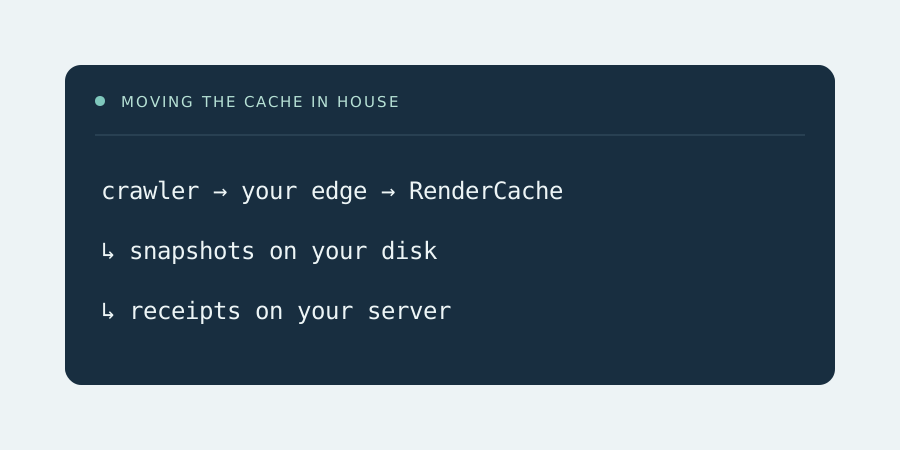
The routing barely moves
The hosted setup already has the hard part in place: an edge that tells crawlers from people. With RenderCache, that same nginx block points at the RenderCache listener instead of the service’s URL. The repository ships a tested nginx example with the full crawler list, and a Cloudflare Worker example for sites on Cloudflare. In the Worker setup, a shared edge token replaces the vendor API token, and RenderCache drops any request to its backend that doesn’t carry it.
The site’s own pages are the source either way. The difference is where Chrome runs and where the HTML is kept. RenderCache renders against your origin from a machine you control and stores snapshots in a local directory, with a 1 GiB and 10,000 file budget by default. Nothing is deleted behind your back. Old records go when you run prune.
Switch over warm
A hosted cache is warm on the day you leave it. A new RenderCache is not. The order of the move matters.
Start RenderCache with the site’s sitemap and let it render everything while the hosted service is still handling crawler traffic. The admin page shows sitemap coverage climbing: discovered, cached, missing, failing. Use Compare HTML on a few page types to check the snapshots hold the content you expect. Fix any ready_selector that fires too early. When coverage is ready, change the routing. Crawler requests from then on land on pages that are already cached.
The hosted service’s recache API calls become calls to RenderCache’s purge endpoint. It takes one URL, requires the admin token, and keeps serving the old copy while the new render runs. Deploy hooks and CMS publish hooks need the new URL and token, and that’s usually the whole code change.
What you take on
Running it yourself means running Chrome yourself. The alpha is one Go binary for Linux amd64 plus an installed Chrome or Chromium, or a container built from the provided Dockerfile, which installs Chromium. Chrome’s sandbox stays on by default, and the deployment notes say what the host needs for that. Browser memory and process limits belong to the OS or the container. There’s no hosted dashboard or support desk. The admin page runs on a private listener on your own machine.
In return you pay for a server and its disk instead of a per-render bill. Every crawler delivery also lands in a rotating log you own. That log is the piece hosted services rarely give you in full: which crawler claim arrived, which page it asked for, whether it got the cached page or a cold miss, and how many bytes went out.
It’s an alpha, so try it on a staging copy or a slice of the site first. The deployment guide covers both routing setups, and the download page has the release with its checksums.